Licensing & activation
Blocklist for Forms is a commercial plugin. Your license key unlocks automatic updates and support, and ties your copy of the plugin to your website’s domain.
Getting your license key
Section titled “Getting your license key”After you buy a Blocklist for Forms subscription from codecariad.com, you generate a license key for each site from your account.
-
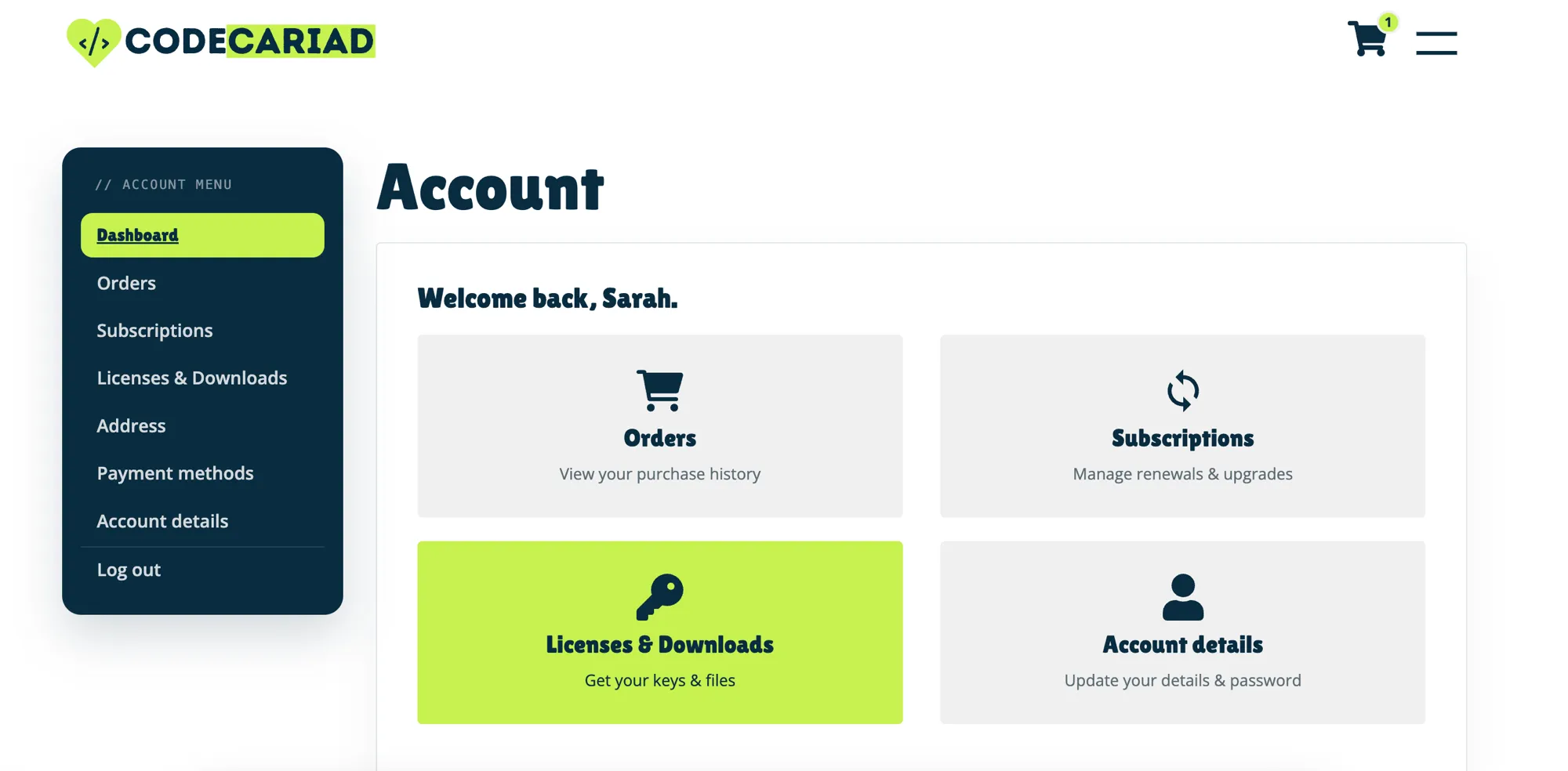
Log in and open your account, then select Licenses & Downloads.
-
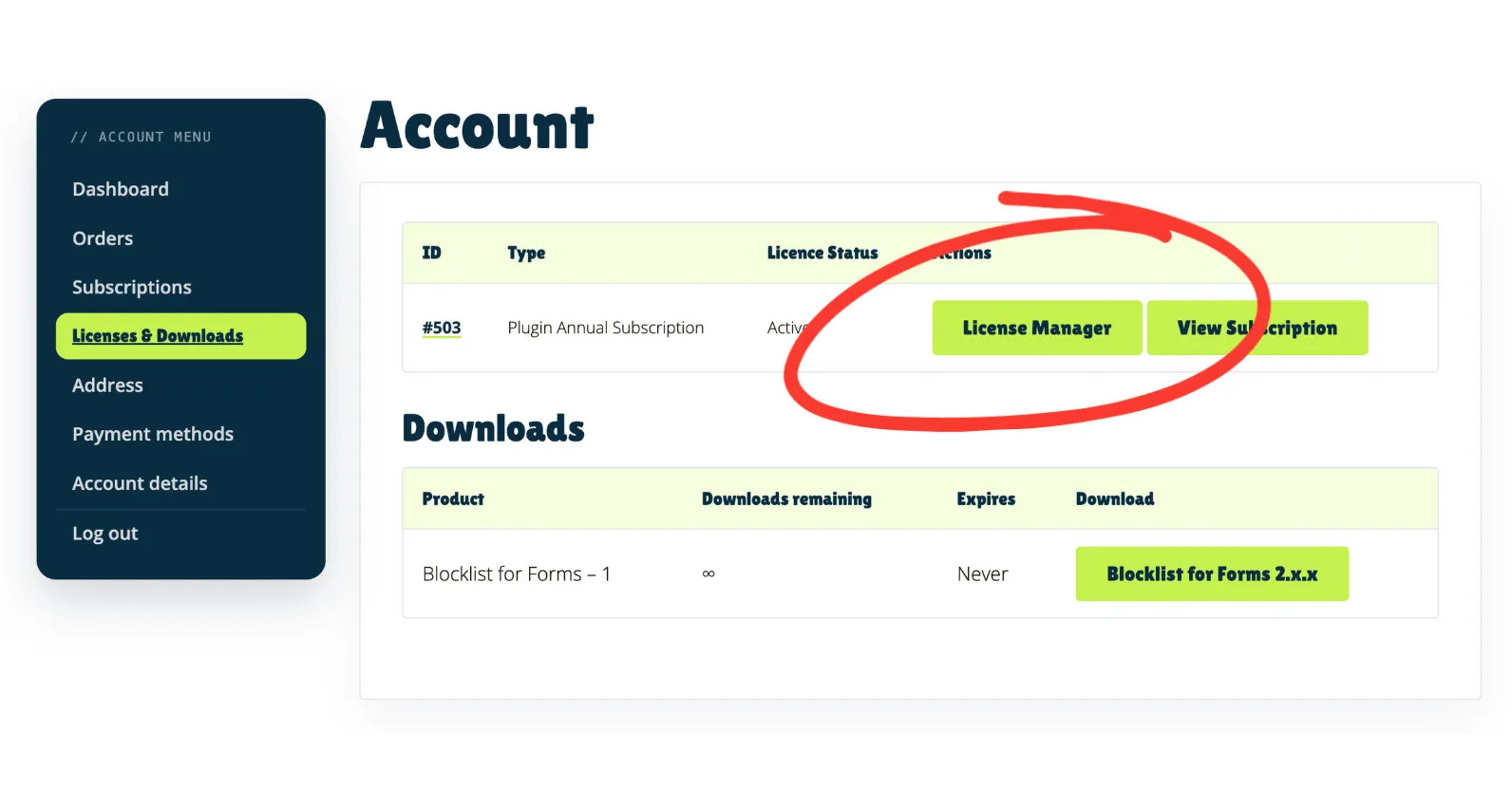
Find your subscription in the list and select License Manager.
-
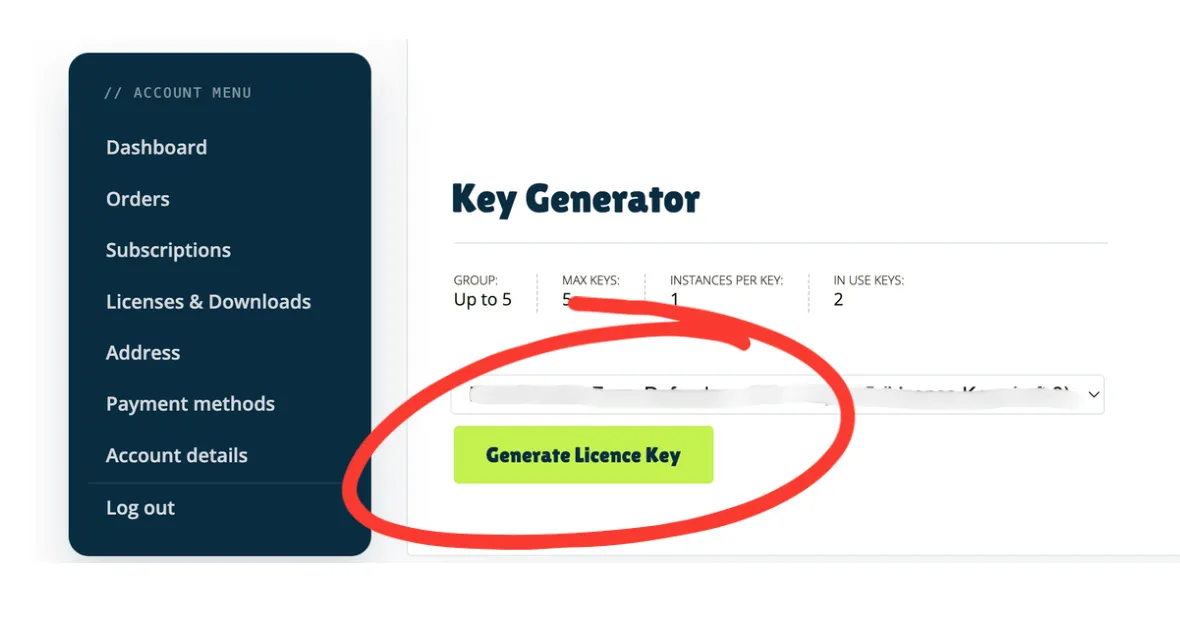
On the Key Generator, select Generate License Key. Your new key is created and ready to copy.
License tiers
Section titled “License tiers”Blocklist for Forms is available in four tiers, each covering a different number of sites:
| Tier | Sites covered |
|---|---|
| Single | 1 site |
| Up to 5 | Up to 5 sites |
| Up to 10 | Up to 10 sites |
| Unlimited | Unlimited sites |
Renewals are handled automatically.
Activating your license
Section titled “Activating your license”Once you have a key, activate it inside WordPress:
- Go to Settings → Blocklist for Forms and open the License tab.
- Paste your license key into the License key field.
- Select Activate.
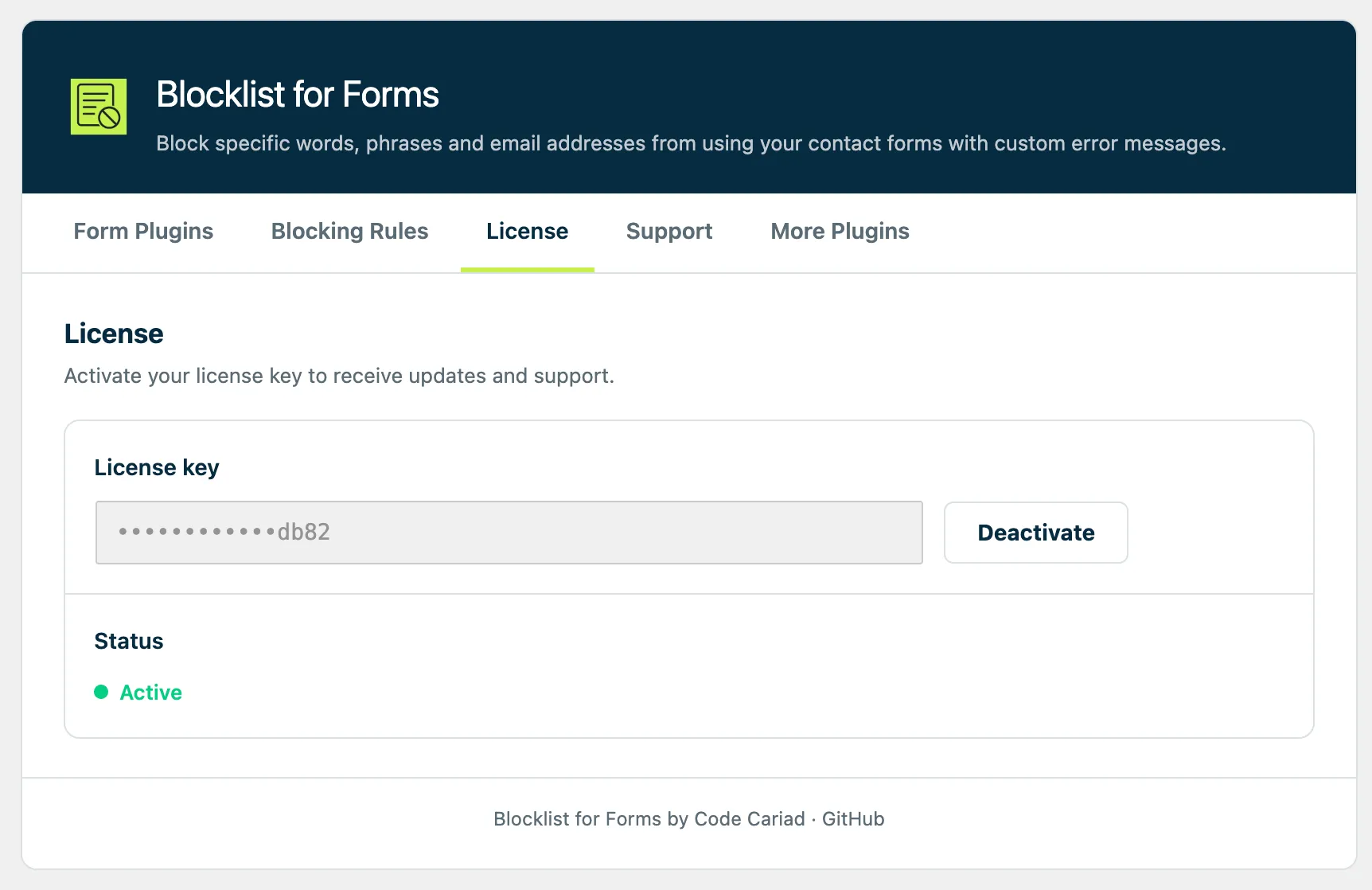
Blocklist for Forms contacts the store on codecariad.com to activate the key against your site’s domain. When it succeeds, the Status shows a green Active and your site starts receiving automatic updates.
Checking and deactivating a license
Section titled “Checking and deactivating a license”From the License tab on the Settings → Blocklist for Forms page you can:
- Check the status of your license to confirm it is active.
- Deactivate the license on this site — useful if you’re moving Blocklist for Forms to a different domain, or freeing up a slot on a multi-site tier.
Troubleshooting activation
Section titled “Troubleshooting activation”- “License key invalid” — double-check the key was copied in full, with no leading or trailing spaces.
- “No activations remaining” — you’ve activated the key on as many sites as your tier allows. Deactivate it on a site you no longer use, or upgrade your tier.
- Activation can’t reach the store — make sure your site can make outbound
HTTPS requests to
codecariad.com; some security plugins or host firewalls block these.